Meisterwerk.
The operating system for craft businesses. Used daily by 8,000+ tradespeople across the DACH region.
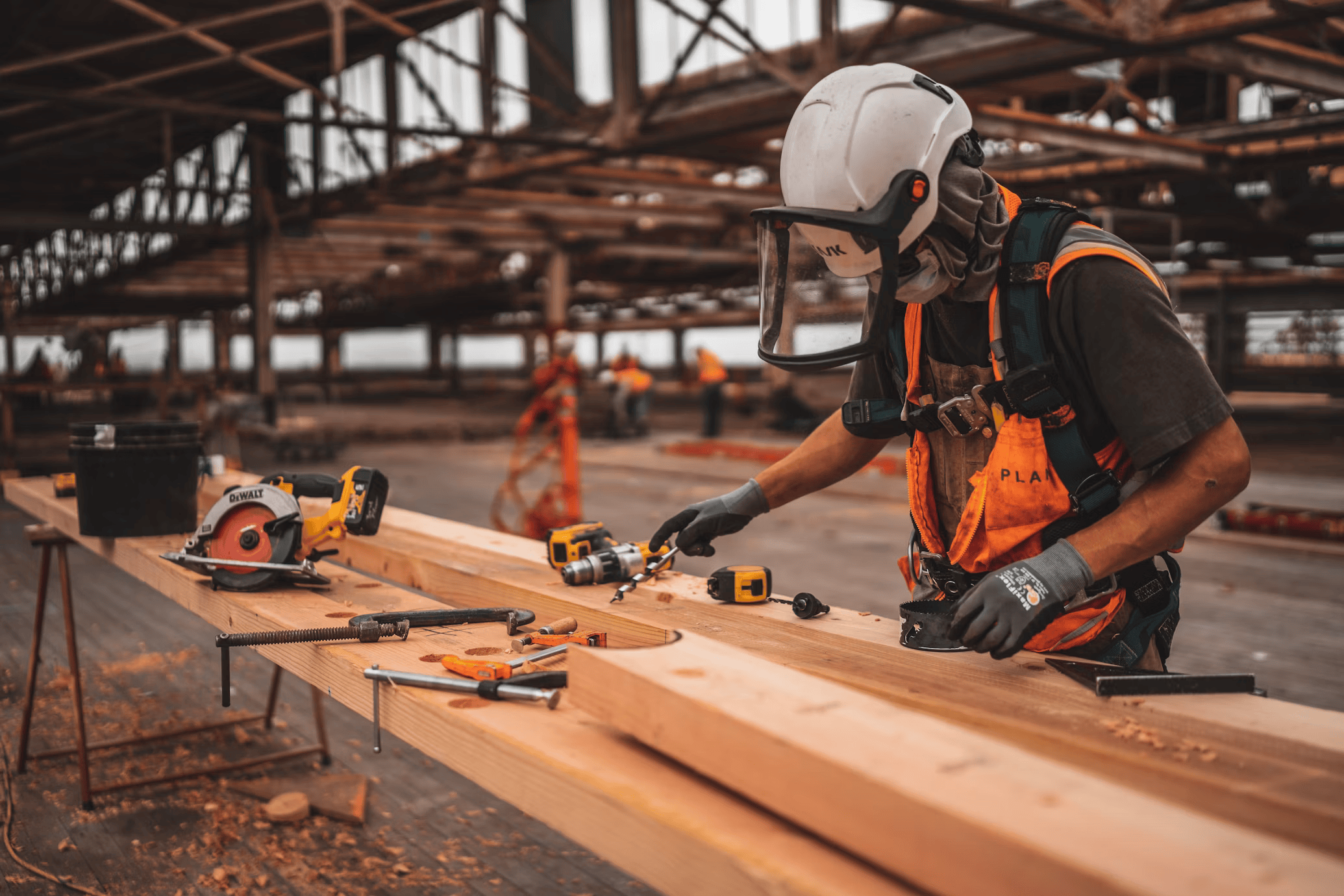
- Role
- Senior Product Designer, sole designer
- Modules
- Invoicing · Mobile App · Planning Assistant
- Surface
- Web app + iOS & Android
- Users
- 8,000+ craftspeople (DACH)
- Period
- March 2025 to present
Software that doesn't fight the trade.
Meisterwerk is the modular operating system for craft businesses, from electricians and plumbers to facility management and HVAC. Founded in Berlin in 2018, backed by Speedinvest and Semapa Next, and now used by 8,000+ tradespeople across the DACH region.
The product covers the full job lifecycle: quotes, invoicing, scheduling, time tracking, documentation, chat, and digital forms. Customers buy only the modules they need.
As senior & sole product designer, I shipped three of the most load-bearing modules: Invoicing, the Mobile App for Workers, and Planning Assistant.
Invoicing
Replacing Word, Excel, and panic emails to the accountant with a single, GoBD-compliant flow from quote to paid invoice.
From quote to paid invoice, in one click.
For most German craft businesses, invoicing is the bottleneck. Quotes live in Word, invoices live in Excel, and tax-compliant archiving lives in a panic email to the accountant in February.
This was my first mission at Meisterwerk. Built distinct from the rest of the platform but connected to it, pulling jobs, times, and materials so nothing is ever entered twice. We were in constant conversation with users throughout.
When I joined, the codebase had slowed shipping significantly. Rather than just designing screens, I worked with the PM to introduce a new process that cut the gap between design and production.
What changed in how we work
AI-assisted component generation
V0 for rapid UI scaffolding
Standardised UI library
ShadCN across the product
Monite as invoice backend
3rd-party API, not built from scratch
Designs that ship as drawn
Less back-and-forth with engineering
What ships
GoBD-compliant invoices
E-invoice format + audit trail
One-click quote conversion
No re-entry, no errors
Payment status tracking
Overdue reminders built in
Accounting handoff
Export ready for DATEV and ELSTER
Team
Process
One source of truth for the money.
Every figure on the invoice traces back to a single line on the quote, with the customer signature attached.
One-click conversion
Quote becomes invoice instantly. Line items, VAT, and customer data carried through.
GoBD-compliant
Full audit trail, legally archivable. Ready for the Steuerberater in February.
Payment tracking
Status visible from the job, the calendar, and the invoices list.
Accounting handoff
Direct integration with lexoffice and bexio. Nothing needs to be re-entered.
Mobile App
A field-first app that works offline, in gloves, in basements, and without training. Built for the worker, not the office.

Designed for the hand holding the drill.
Before this shipped, field workers were using the web app on their phones, zooming in, zooming out, sometimes printing the calendar just to have it on hand in basements and job sites with no signal. When connection dropped, so did access to the schedule. Check-ins and check-outs were reconstructed from memory at the end of the day.
New German work legislation made that untenable. Breaks, working hours, and clock-in times now had to be logged accurately and verifiably. Managers needed GPS-confirmed records, not self-reported ones. The printed calendar solution was not just inconvenient anymore. It was non-compliant.
Before
Web app on phones. Printed calendars in basements. Check-ins from memory.
Legal trigger
German work legislation now requires GPS-verified hours, breaks, and clock records.
Offline-first
Constant background sync
GPS check-in/out
Verified, not self-reported
Break tracking
Compliant with German law
Media capture
Photo, video, PDF, docs
Client signature
Directly on tablet
Client history
Recurring jobs at a glance
Time summary
Hours logged vs. remaining
Manual fallback
Kept for adoption. Workers who resisted could still log time manually.
Team
Tools
Ownership
User research

Before
Workers resisted. A familiar broken app felt safer than an unfamiliar better one.
Trigger
Non-digital, older profiles. Learning new software felt like extra work on top of their real job.
In-person visits
Went to meet workers directly, noted friction points
Simplified dashboard
Added a main dashboard that did not exist in v1
Replayable wizard
Available at any time, as many times as needed
Familiar patterns
Borrowed UI elements from the old app to ease the transition
Outcome
Managers felt confident enough to require adoption, knowing the wizard was there
Team
Outcome
Big targets, quiet UI.
Gloves on, screen wet, glove off, screen still works. 56px minimum for primary actions. Designed for a hand that isn't free.
Offline first, sync silently.
Every action queues locally and replays the moment a signal returns. The worker should never know there was no connection.
One screen, one decision.
No tabs deep into a job. The next thing to do is the most visible thing on screen.
Photos & signatures, two taps.
Documentation isn't an admin task; it's the work of recording the work. We made it as fast as taking a picture in the camera app.
Familiar enough to trust.
Visual patterns from the old platform, kept deliberately. New users get a clean experience. Six-year users don't feel lost.


It shipped. Then the real work started.
Workers pushed back. Not because of the GPS tracking, but because they had spent years learning a broken interface and had no interest in learning a new one. Many were older, non-digital, and their job was to be an electrician or a plumber, not to navigate software.
We went to meet them. Took notes on what felt wrong, what they missed from the old app, where they got stuck. Then we made two deliberate compromises: manual time entry stayed as a fallback for anyone who needed it, and visual patterns from the old platform were folded into the new one so nothing felt completely foreign.
We added a simplified dashboard that did not exist in the first version, and an onboarding wizard they could replay as many times as they needed.
Adoption did not come from workers choosing the new app. It came from managers feeling confident enough to require it, knowing the wizard was there to catch anyone who struggled. The design had to earn that manager confidence first.
Planning Assistant
Rebuilding the magnet board as a multi-week scheduling surface with drag-and-drop, real-time field sync, and one-tap navigation to every job.
The dispatcher was right. The whiteboard wasn't.
Most craft businesses still plan jobs on a magnet board in the office. The board works because the dispatcher knows every customer, every team member, every car. What it doesn't do is travel to the construction site, sync to mobile, or survive a sick day.
We rebuilt route planning as one of the deepest scheduling surfaces in the market: a multi-week calendar with drag-and-drop, customer addresses with one-tap navigation, vacation & sick-leave overlays, and real-time updates from the field.
Multi-week drag-and-drop calendar across all jobs & people
Vacation, sick leave & idle time overlays in the same view
Customer address & one-tap navigation per appointment
Mobile updates from the field push back into the calendar in real time
GPS-aware travel time tracking, configurable per business
Designed for a last-minute replan.
When a customer cancels at 7:42 AM, the dispatcher needs to move five appointments in under a minute, on a 13" laptop, while on the phone.
- Keyboard nudges & multi-select for batch reschedules
- Optimistic UI: drops feel instant, conflicts are flagged afterwards
- The field-worker mobile app picks up the change without anyone calling them
Confirming appointments was still someone's job. Now it's Maxi's.
Scheduling a job is only half the work. Someone still has to confirm it with the customer, chase the ones who don't reply, and find a new slot when they say no. That work never showed up on the calendar — it lived in phone calls and follow-ups nobody tracked.
Maxi, the same AI assistant behind Frag Maxi's phone support, now lives inside the scheduling surface itself. It tracks confirmation status per appointment, flags customers who haven't responded after repeated attempts, and proposes new times automatically when something falls through, without anyone picking up a phone.
The dispatcher still makes the final call. Maxi just stops them from being the one who has to find out a customer went quiet.
Quiet tools doing loud work.
Meisterwerk is now used daily by more than 8,000 craft business users in the DACH region. The company closed a €6M Series A in July 2024, led by Semapa Next, with the explicit goal of becoming the operating system for craftsmen across Europe.
What I'm carrying forward.
Designing for the trades is unlike designing for any other audience I've worked with. The user is on a ladder, in a basement, or in a customer's living room, holding a piece of expensive equipment. The interface has seconds of attention before it gets ignored.
The thing I'm carrying forward: in a modular product, consistency is the brand. Three modules built by three different team configurations cannot read as three apps.